ServiceNow Security Operations Incident Response Playbooks
Support Statement
This documentation is provided "as is" without support for 3rd party software. The level of support for this integration guide is best effort without any SLA on response time. No 3rd party product support can be provided by Superna directly. 3rd party components require support contracts. See EULA for more details.
Overview
This solution creates Security Incident Playbook automations within the Security Operations module in ServiceNow for customers that have this module installed and perform incident response from this module for their security operations. The playbooks use bidirectional API support in Superna's Security Edition to issue API calls through ServiceNow Mid servers that operate on premises.
Architecture Overview
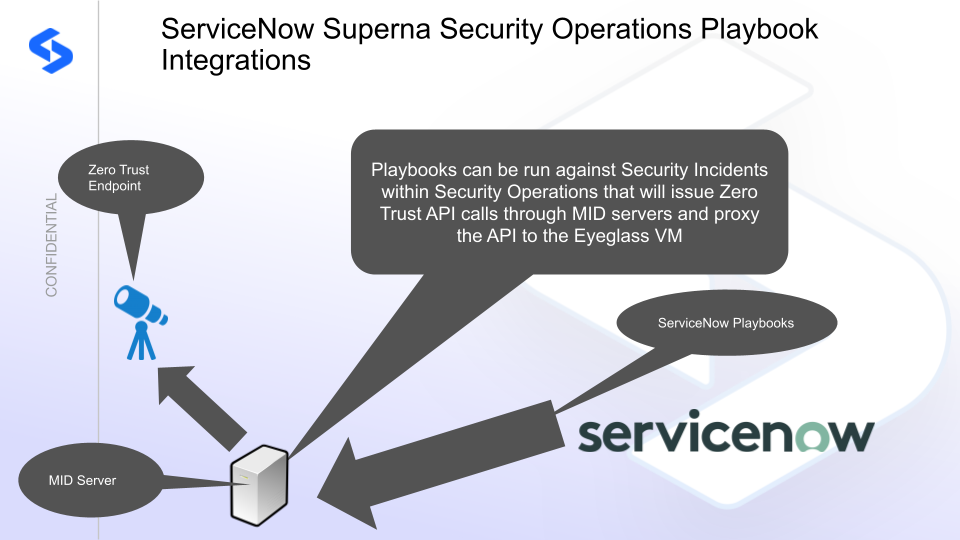
Features
This integration supports 3 playbook use cases:
- Snapshot critical NAS data from within ServiceNow Security Operations incidents
- Lock out NAS users from all data within ServiceNow Security Operations incidents
- Unlock NAS users within ServiceNow Security Operations incidents
Prerequisites
- Mid server deployed and operational
- ServiceNow Security Incident Response module
- Workflow Studio permissions to create playbooks
- Update Set import permissions
Video Overview
Configure the ServiceNow Security Incident Response Playbooks in Workflow Studio
- Log in to ServiceNow.
- Navigate to System Update Sets → Retrieved Update Sets.
- Click Import XML and upload the XML file.
- Review and commit the Update Set to make the playbook available in the instance.
How to Test the Integration
- An open Security Incident must exist.
- Follow the video examples above on how to run playbooks against SIR incidents.
Sample Security Incident Playbooks
The playbook list in Workflow Studio shows three Superna playbooks after import:
- Superna Snapshot Critical NAS Data — triggers a critical data snapshot on all NAS devices managed by Superna Security Edition when run against a Security Incident.
- Superna Lockout NAS User — locks out the affected user from all SMB shares when run against a Security Incident.
- Superna Unlock NAS User — restores access for a previously locked out user when run against a Security Incident.
Each playbook appears in the incident action menu under Run Playbook and can be triggered manually by a SOC analyst or automatically via a ServiceNow automation rule.