What's New in 2.15.1
Version 2.15.1 builds on the redesigned 2.15.0 user interface with a first-run welcome message, safer device editing, and several platform and Data Auditing improvements.
Highlights in this release include:
- Scheduling for Built-In Queries in Data Auditing, plus reliable runs for scheduled reports
- Welcome Message shown once per user the first time the new GUI is opened
- Device Change Confirmation in Inventory, showing exactly what an edit will change before it is saved
- Delete Action for ECA Nodes in Health Check → Manage Services
- ECS and Dell ObjectScale Support in the New GUI, alongside PowerScale
- Additional User Roles in the New GUI, so users who are not administrators can sign in to the new GUI
- Nutanix AHV Deployment support for the appliances
Welcome Message in the New GUI
The first time you open the new GUI, a welcome overview appears with a short tour of its main areas: Platform (Alarms, Jobs, Inventory, Licensing, and Health Check), Cybersecurity (Ransomware Defender, Auditing, and Security Integrations), Disaster Recovery, and AirGap. It also notes that feature availability depends on your licensed products and role, and that you can switch back to the Legacy UI at any time. The overview is shown once per user and applies to new and existing customers alike — closing it settles the question on every browser and device that user signs in from.
Confirmation Before Saving Device Changes
Editing a device on the Inventory page now asks you to confirm before your changes take effect. After you select Update on the Edit Device form, a Confirm Device Changes dialog lists exactly what is about to change: the old and new values for the address, port, username, Max RPO, and load balancer, and a Licensed For comparison showing which licenses are added, removed, and kept. Passwords are never displayed — if the password changes, the dialog simply notes that it will be updated — and a warning appears when license assignments change, because that can affect active Disaster Recovery and security configurations. The dialog appears only when something actually changed, and Cancel returns you to the form with your input intact. The Edit Device form is also now pre-populated with the device's stored settings, so you can see the current values you are changing; the password is still re-entered each time.
Delete ECA Nodes from Manage Services
Health Check → Manage Services now has a Delete column with a confirmation dialog, so you can remove an ECA node's entry from the new GUI the same way you could in the Legacy UI. The Eyeglass entry itself has no Delete action.
A running ECA node re-registers itself with Eyeglass on its next heartbeat, within about a minute, so deleting a live node's entry is expected to be undone on its own. Delete is intended for cleaning up stale entries — nodes that are stopped, decommissioned, or no longer pointed at this appliance.
Scheduling Built-In Queries
Built-in queries in Data Auditing can now be scheduled from the new GUI — every built-in query has a Schedule section. This release also makes scheduled reports run reliably: Easy Auditor reports with daily, weekly, monthly, or custom frequencies now run at their scheduled time, including AM and PM times, where previously only interval-based schedules did and any schedule that didn't fall exactly on the hour was skipped. Attaching a schedule to a built-in query also no longer converts it into a Custom Data Access query. See Data Auditing for the query builder and report workflow.
ECS and Dell ObjectScale Support in the New GUI
The new GUI now supports ECS and Dell ObjectScale environments alongside PowerScale, so ECS clusters no longer need to be managed from the Old (legacy) GUI. Inventory, Licensing, Alerts and Recovery Manager, Threat Detections, Detection Controls, Health Check (including Security Guard for ECS), and AirGap account for ECS and ObjectScale objects such as buckets, namespaces, object keys, and versions. Features that are specific to PowerScale, such as Disaster Recovery failover, Easy Auditor, and Robo Audit, remain PowerScale-only.
Additional User Roles in the New GUI
The new GUI is no longer limited to users with the Administrator role. Users with other roles can now sign in to the new GUI, and what each user can see and do follows the permissions of their role.
Nutanix AHV Deployment
Nutanix AHV is now supported as a deployment platform for the appliances. See the Prerequisites and Installation sections for the deployment requirements and steps.
Previous Release - 2.15.0
A Redesigned Data Security Experience
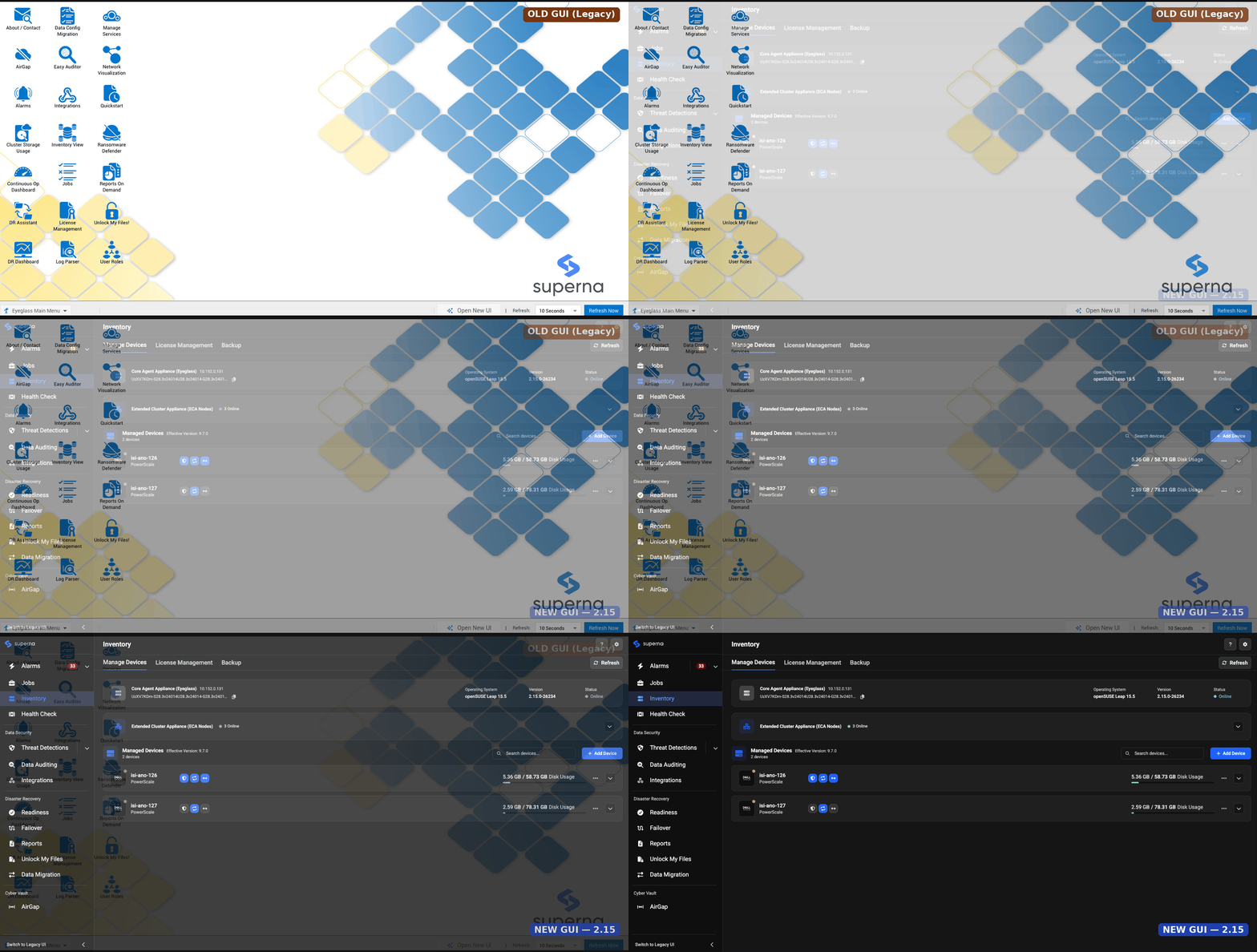
Version 2.15.0 introduces a completely redesigned user interface for Data Security, and it's the headline change in this release. Threat Detections, Detection Controls, Data Auditing, and Health Check have all been rebuilt with a modernized, streamlined design that makes it easier to navigate between tools, understand what's happening across your environment at a glance, and get to the actions you need faster.
Workflows in these areas have been reorganized around how you actually work day to day — investigating an event, tuning detection settings, running a query, or checking the health of your detection and audit pipeline should all feel more direct, with cleaner navigation and less hunting for the right screen or button. The visual design has been refreshed throughout to bring a more consistent look and feel across the product, and we're continuing to refine the experience based on customer feedback as the new UI rolls out.
Review the Release Notes for new features, fixed issues, and known issues before planning an installation or upgrade.
Threat Detections
Retain Snapshots
Snapshots taken by a threat detection event can now have their expiry extended directly from the event's own action menu — no need to configure a separate scheduled snapshot ahead of time just to buy more investigation time. Select Take an Action → Retain Snapshots on a Threat Detections event to push out the expiry of every snapshot tied to that event, either to a specific date or by adding an extension interval to the current expiry. This gives you more room to investigate and recover from a threat before those snapshots are purged. The default snapshot expiry applied when an event is first detected is also configurable directly from the UI, in both the old and new GUI. See Retain Snapshots and Snapshot Settings for full details.
Recovery Manager Retention Extended
Recovery Manager's event retention has been significantly extended. User activity for active events is now retained for 120 days, up from the previous default of 7 — so investigations that take longer than a week no longer lose the ability to run Recovery Manager against an archived event. Retention still drops to 3 days once an event is closed, so don't close an event until its data has been recovered. See Data retention and audit cache for full details.
Cyber Recovery Manager for Active Auditor Events
Active Auditor events now support Cyber Recovery Manager, extending the same snapshot-based data recovery workflow used for Ransomware Defender events to Active Auditor triggers (Mass Delete, Data Loss Prevention, and Custom Triggers). See Active Auditor for full details.
Snapshot Reuse and Deduplication
Ransomware Defender and Easy Auditor Active Events now check for a recent, reusable snapshot on the same (or a parent) path before creating a new one, cutting down on redundant PowerScale snapshots when multiple events or users trigger snapshot creation on the same path in quick succession. The reuse window defaults to 60 minutes and is configurable via the rsw_snapshot_reuse_minutes setting. This release also fixes two related issues: reused snapshots weren't always showing up in an event's snapshot list and history, and a snapshot deleted outside of Eyeglass could still be treated as reusable. See Snapshot Settings — Snapshot Reuse and Deduplication for full details.
Detection Controls
Automated Historical Event Ingestion on Upgrade
When upgrading to 2.14.1 or 2.15.0, historical events are now automatically ingested into the Application Fingerprinting learning database as part of the upgrade itself — including events in both the False Positive and Unresolved states. This gives AFP an initial baseline of known-safe behavior drawn from your existing event history, with no manual upload required. See Automatic event ingestion on upgrade to 2.14.1 / 2.15.0 for full details.
Integrations
New Webhook Payload Fields
The Zero Trust webhook payload for Data Security events now includes several new fields in extraParams: alertType (Threat Detection, Threat Hunting, or a reserved value for future Data Attack Surface Manager integration), threatCategory, threatDescription, source, and sourceType. These fields are appended to the existing payload and do not affect existing integrations. See extraParams fields for full details.
See Also
Need Help?
- Contact Support: Reach out to Superna Support for configuration assistance or troubleshooting help.