CrowdStrike Fusion SOAR
Overview
CrowdStrike Fusion SOAR + Superna Data Security Edition delivers Cyberstorage Incident Response automation directly within the CrowdStrike ecosystem.
SOC analysts can execute storage-layer defense actions—like snapshot, block, and restore—directly from Fusion SOAR playbooks without needing to log into Superna or storage systems.
We’ll install and validate this integration at no charge so you can see value fast.
Next step: use Book a setup call at the top of this page.
What You Get
- Native SOAR playbooks in Fusion Foundry for Cyberstorage Incident Response.
- Snapshot critical data on any NAS device to create immutable recovery points.
- User data block to immediately revoke access for compromised or terminated users.
- User data restore to safely reinstate access after incident closure.
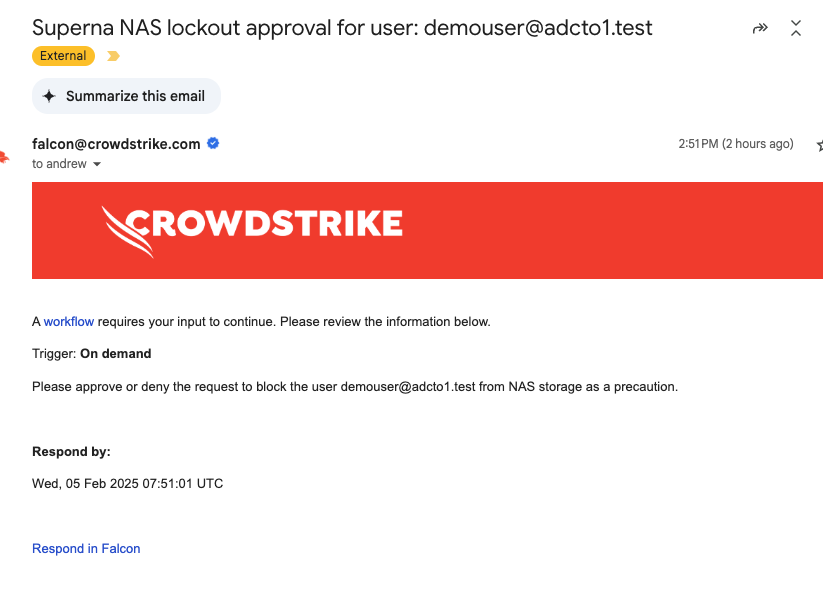
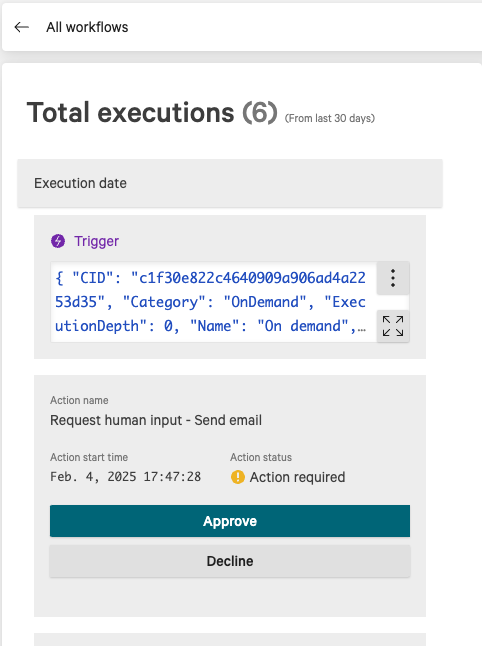
- Email-based approvals for workflows requiring SecOps manager authorization.
- No network exposure — all API calls route securely through your Falcon host group proxy.
Demo Video
How It Works
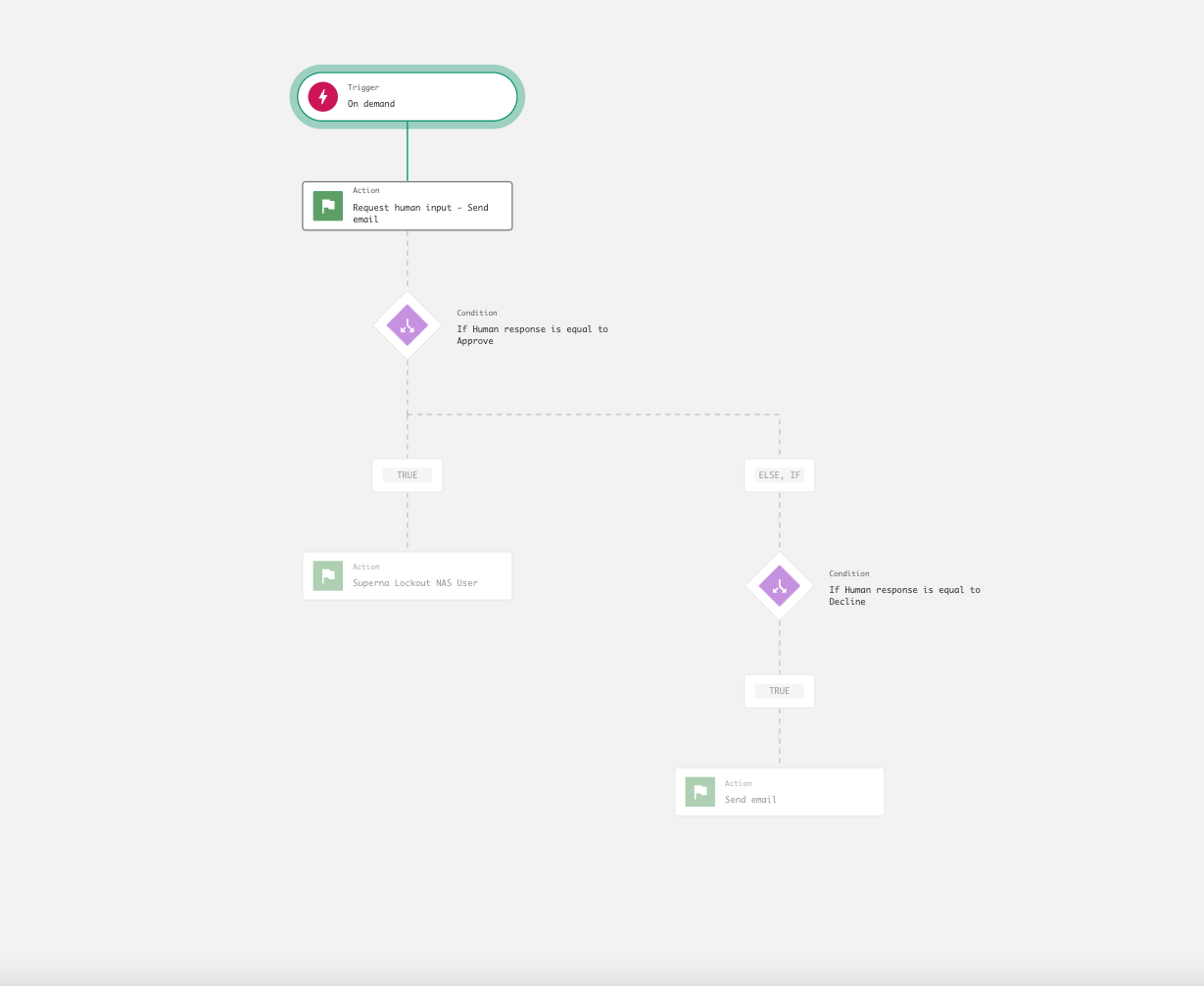
- Trigger – A SOC analyst runs a Fusion SOAR playbook from an incident or alert.
- Proxy – The request executes from a Falcon host group with remote execution permissions.
- Authenticate – The Falcon proxy calls Superna’s Zero Trust API using a token stored in Fusion SOAR configuration.
- Execute – Superna performs the requested action (snapshot, block user, or restore user).
- Approve (if required) – For block and restore actions, SecOps receives an approval email or can approve in-console.
- Confirm – The workflow updates the Fusion SOAR task and logs the action for audit.
Architecture / Flow
Components
- Superna Data Security Edition – Provides Zero Trust API endpoints for storage-layer defense automation.
- CrowdStrike Fusion SOAR – Hosts Superna playbooks within the Foundry app builder and executes Cyberstorage Incident Response workflows.
- Falcon Host Group (API Proxy) – A Falcon-managed host group with remote execution rights that securely relays API requests to Superna.
- SOC Analysts & SecOps Managers – Initiate, approve, and audit playbooks for data protection and recovery actions.
FAQs
Do I need a special license for Fusion SOAR?
CrowdStrike Fusion SOAR requires an active entitlement within your Falcon platform. Superna integration is available in the Marketplace under “Superna Cyberstorage IR.”
How are API calls routed to Superna?
All API calls run through your Falcon Host Group proxy. The hosts in that group must have network access to the Superna Zero Trust API over TCP 443.
Are approvals required for all workflows?
No. The Snapshot workflow executes immediately. The User Data Block and Restore workflows include optional email or in-console approval steps.
Where can I find the Superna app in Fusion SOAR?
Open the CrowdStrike Marketplace and search for Superna. Import the “Cyberstorage IR” playbooks for Snapshot, Block, and Restore actions.