Microsoft Sentinel – SOAR Playbooks
Overview
Superna Data Security Edition + Microsoft Sentinel SOAR enables automated response actions—such as storage snapshots and user lockouts—directly from Sentinel Incidents or Analytics Rules.
This integration uses Azure Logic App playbooks that call Superna’s API to execute protective actions the moment malicious activity is detected.
The SOAR playbooks can run manually, automatically, or via approval-based workflows, depending on your team’s requirements.
We’ll import, configure, and validate these playbooks at no charge.
Next step: use Book a setup call at the top of this page.
What You Get
- Automated Storage Snapshots using Superna’s API.
- User Lockout Actions triggered from Sentinel Incidents.
- Incident-triggered or manual runs, including approval steps for SOC workflows.
- Configurable parameters (snapshot target, retention, lockout type, notification settings).
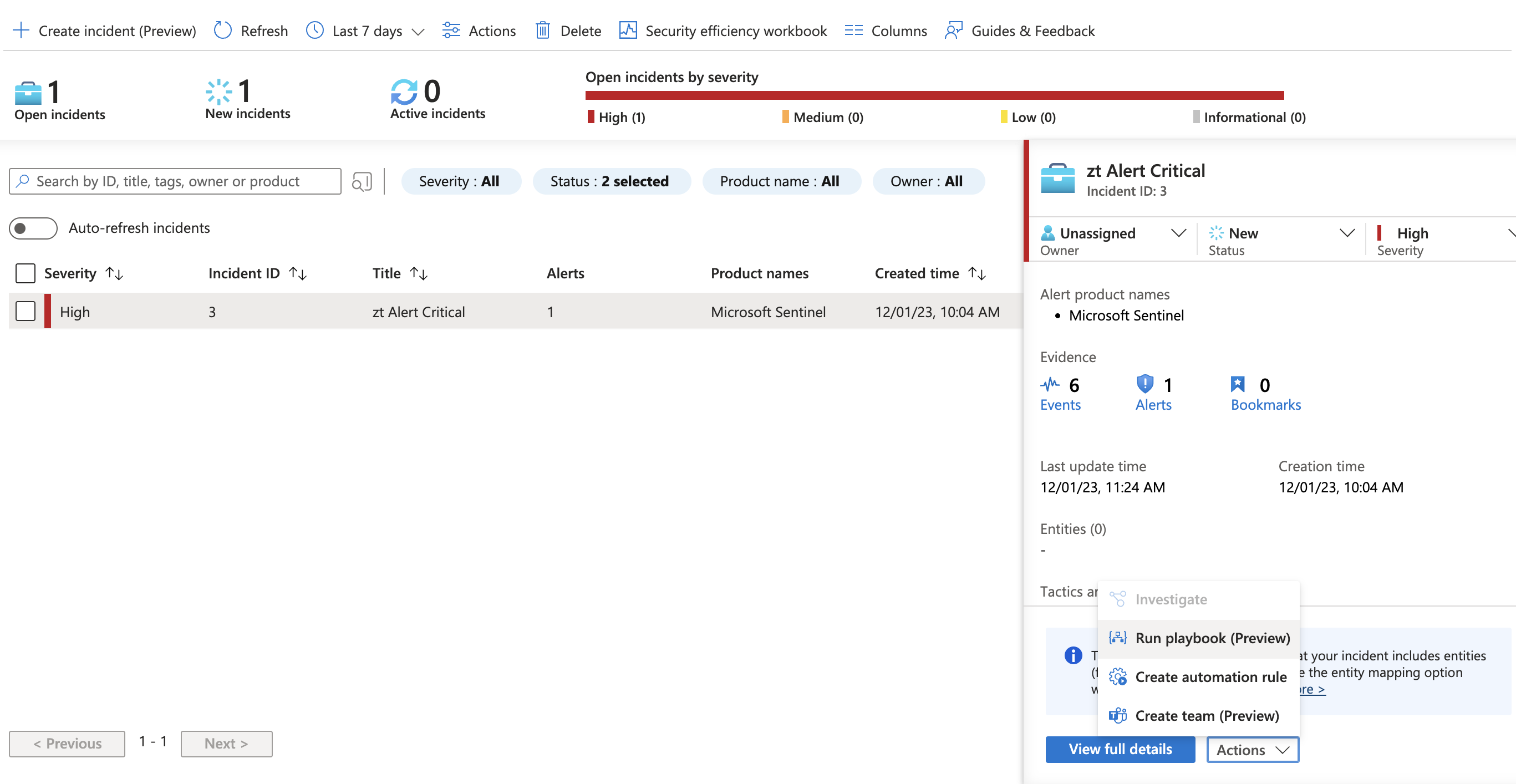
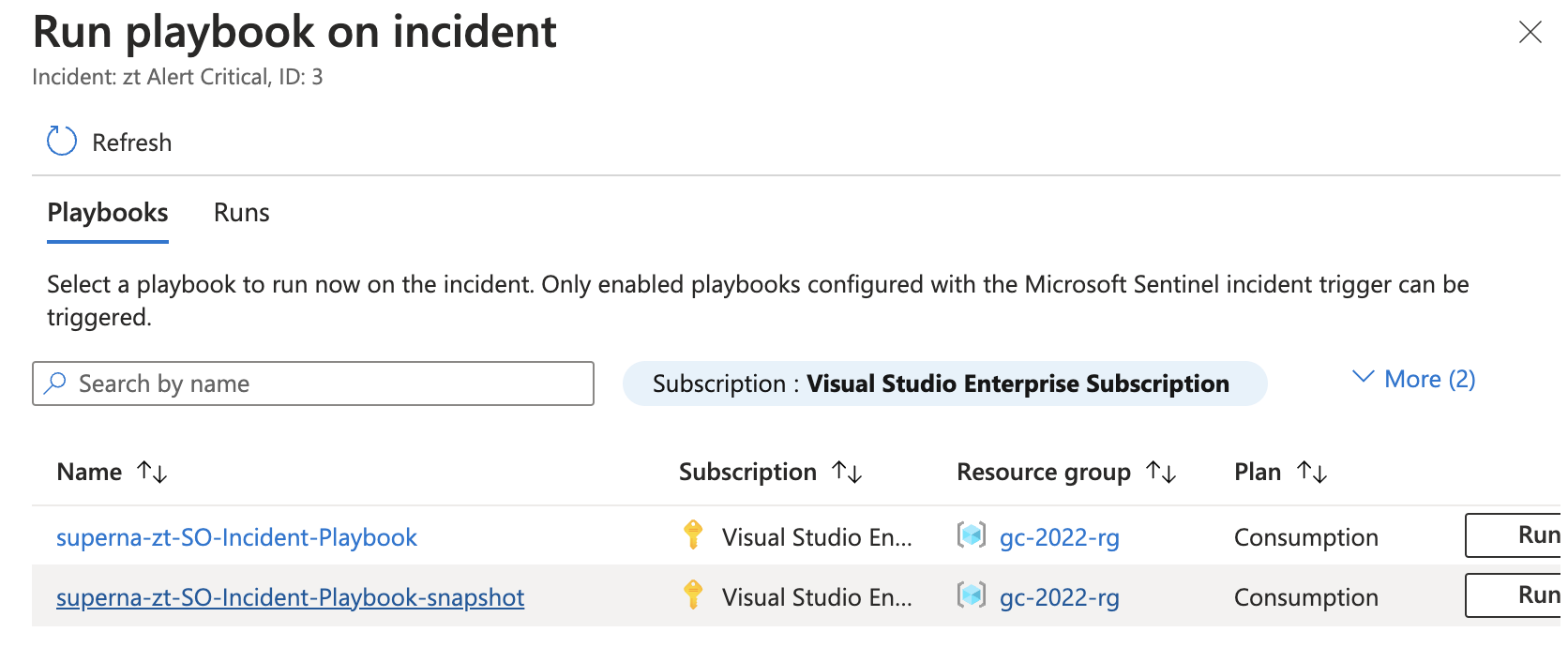
- Native Sentinel UX with playbooks available directly in Incident Actions.
How It Works
-
Detection → Sentinel Incident
A Superna Zero Trust alert arrives in Sentinel via your SIEM ingestion pipeline and triggers an Incident. -
Incident Trigger → Playbook
A Sentinel Automation Rule or manual analyst action launches the Superna Snapshot Playbook or Lockout Playbook. -
Playbook Executes Zero Trust API
The Logic App playbook sends an authenticated HTTPS request back to the Superna API endpoint with:- snapshot name / retention
- user to lock out
- affected paths / shares
- SOC metadata
-
Superna Executes Response
Superna immediately performs the requested action (snapshot, lockout, or both) and returns status back to Sentinel. -
Sentinel Adds Audit Trail
Sentinel records playbook steps, responses, and any approval actions in the Incident timeline.
Architecture / Flow
Components
- Superna Security Edition – Performs snapshots and user lockout actions through the Zero Trust API.
- Sentinel Logic App Playbooks – Azure-native automation used to run response workflows.
- Playbook Triggers – Can be launched by Automation Rules, Analytics Rules, or manual analyst action.
- Sentinel Incidents – Provide context and serve as the starting point for automated or approved response actions.
- SOC Analyst Workflow – Reviews the timeline, approves actions (optional), and validates remediation.
FAQs
Do I need the SIEM integration to use these playbooks?
Yes. Playbooks are typically triggered from Sentinel Incidents, which require the SIEM ingestion pipeline (Logic App → Log Analytics → Sentinel Analytics Rule).
Can playbooks run automatically?
Yes—Automation Rules can trigger snapshot or lockout playbooks automatically when conditions are met (e.g., CRITICAL Superna event).
What actions are supported?
Common actions include storage snapshots, user lockout, and custom API calls. Additional Zero Trust actions can be added as parameters.
Can analysts approve actions before execution?
Yes. Logic Apps support an approval step where a SOC user must confirm the action before the playbook proceeds.
How do I test a playbook?
Use a test Sentinel Incident or manually run the playbook with mock parameters. Superna can provide a test webhook to generate incidents.