Microsoft Defender XDR
Overview
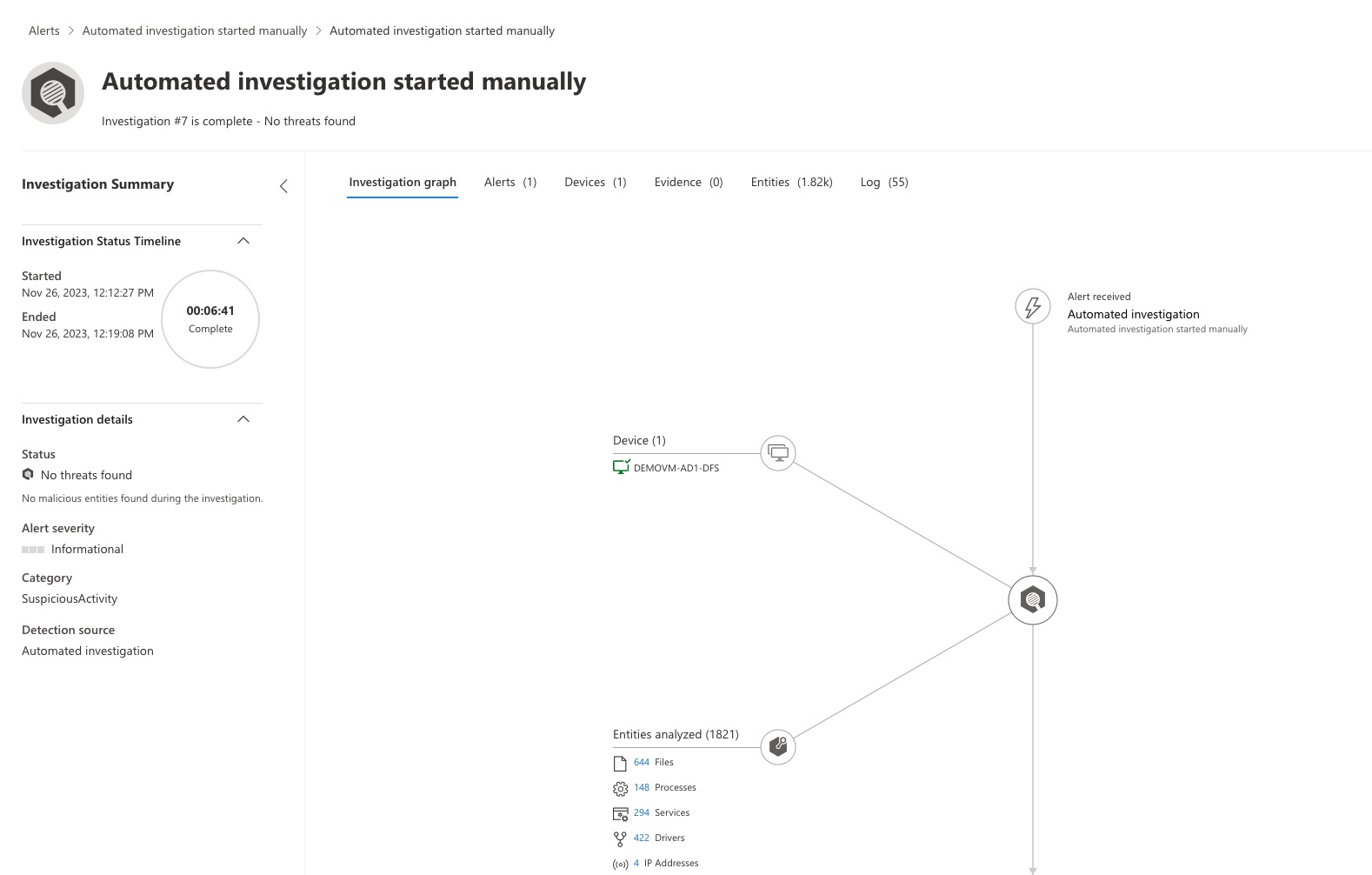
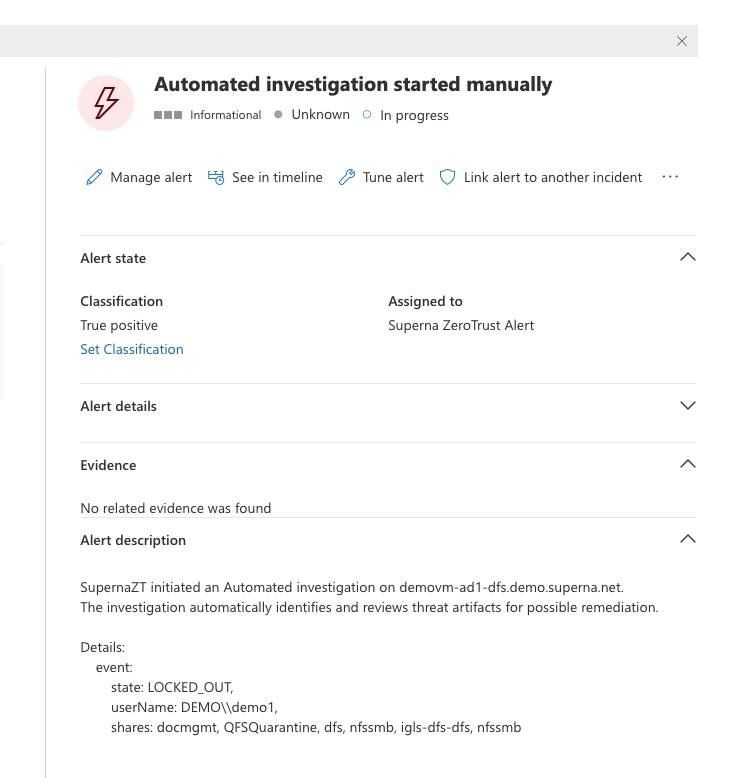
Superna Data Security Edition + Microsoft Defender XDR enables automated host investigation and isolation when a ransomware event occurs. When an alert is detected, Defender XDR automatically creates an investigation alert for the affected machine and can optionally isolate the host from the network to stop propagation.
We’ll install and validate this integration at no charge so you can see value fast.
Next step: use Book a setup call at the top of this page.
What You Get
- Automated investigations in Microsoft Defender XDR for every critical Superna detection.
- Optional host isolation — automatically disconnect compromised endpoints from the network from a ransomware alert.
- Alert enrichment — populate Defender alerts with storage-layer context (user, IP, shares, files).
- Native Defender dashboard visibility — see investigation details and isolation state directly in the portal.
How It Works
- Detect → Webhook Trigger — Superna Data Security Edition detects malicious or anomalous activity and sends a webhook payload to the Defender integration service running locally on the SCA (Eyeglass) VM.
- Authenticate → Get Token — The service authenticates to Microsoft Azure using OAuth 2.0 with Tenant ID, Client ID, and Client Secret to obtain access tokens for:
https://api.securitycenter.microsoft.com/.defaulthttps://graph.microsoft.com/.default
- Match → Identify Host — The service queries the Defender Endpoint API to find the machine that matches the client IP in the webhook.
- Investigate → Create Investigation — Once matched, the integration initiates an automated investigation in Defender with full alert metadata.
- Isolate (Optional) — If the ransomware alert has a state equal to
LOCKED_OUTand the host_isolation flag is set totrue, then the host will be isolated via Defender’s API. - Enrich → Update Alert — The integration updates the alert in Graph Security v2 (
/security/alerts_v2) to include severity, classification, and other data into the investigation's comments.
Architecture / Flow
Components
- Superna Data Security Edition – Detects storage-layer threats and emits Zero Trust webhooks.
- Integration Service – Python Flask app running on the SCA (Eyeglass VM) that authenticates with Azure and calls Defender APIs.
- Azure Application Registration – Provides the Tenant ID, Client ID, and Client Secret for OAuth2 token retrieval.
- Microsoft Defender for Endpoint – Hosts the
/api/machinesand/startInvestigationendpoints for automated response. - Microsoft Graph Security API – Used to update enriched alert data and classifications in Defender.
FAQs
Is host isolation automatic?
Only if host_isolation = 'true' is set in the Python integration script. By default, it is disabled.
What permissions does the Azure app require?
The app must have API permissions for both WindowsDefenderATP (SecurityCenter API) and Microsoft Graph Security with Application access granted.
Where do investigation alerts appear?
In the Microsoft Defender XDR portal under the Incidents & Alerts section. Alerts include the Zero Trust context and investigation trail.