Configure Recovery Manager
Introduction
This article covers configuration steps for VAST environments.
Configuration Steps
- VAST
Create a View with an S3 Bucket
ALL VIEWS from files that should be protected and recovered must be underneath this view path. If it is not under this path, it can’t be recovered.

For example: There is a view /user-test4/data-access1. Create an S3 bucket on path /user-test4 to set up the Recovery Manager.
Set bucket owner for S3 Bucket
This user MUST be a non-local user, and it must have ONE OR LESS access keys. (i.e., none or one).
Add view path
Add view path to <recovery_manager_view_path> in system.xml.
igls config settings set --tag=recovery_manager_view_path --value=<value>
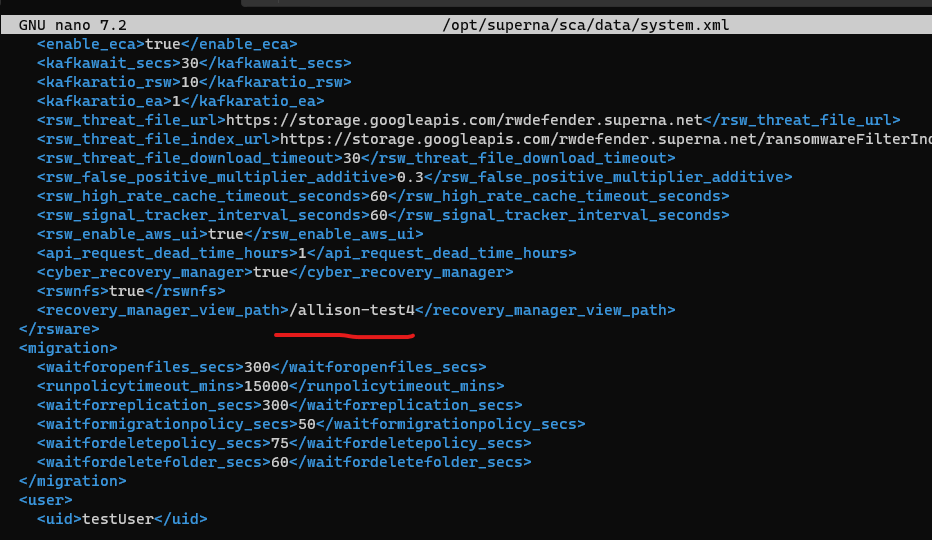
Add Eyeglass IP to the ignored list
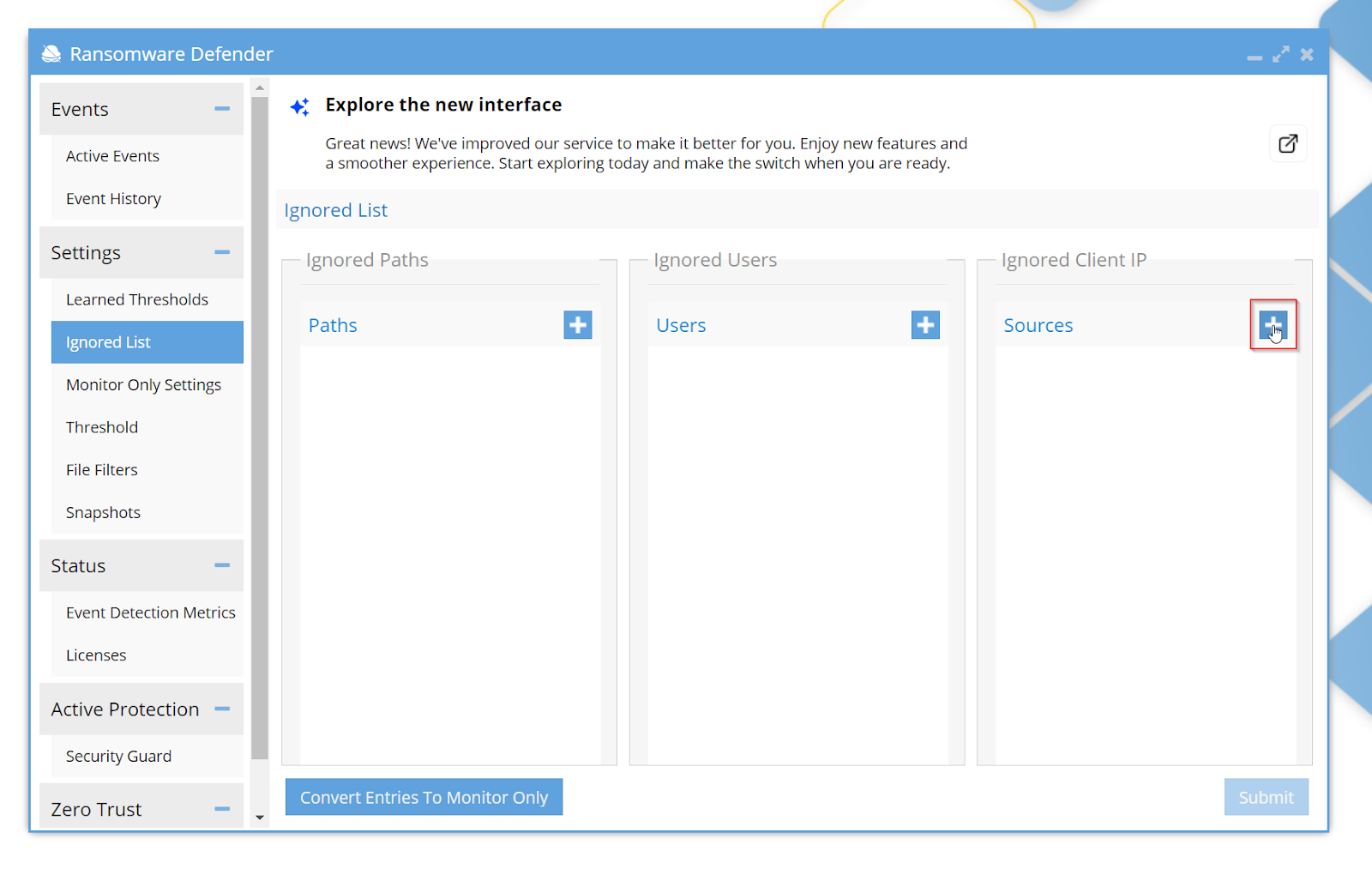
To prevent event being raised by recovery events, add the Eyeglass IP to the Ignored List.
Open the Ignored List menu and click the Add button.
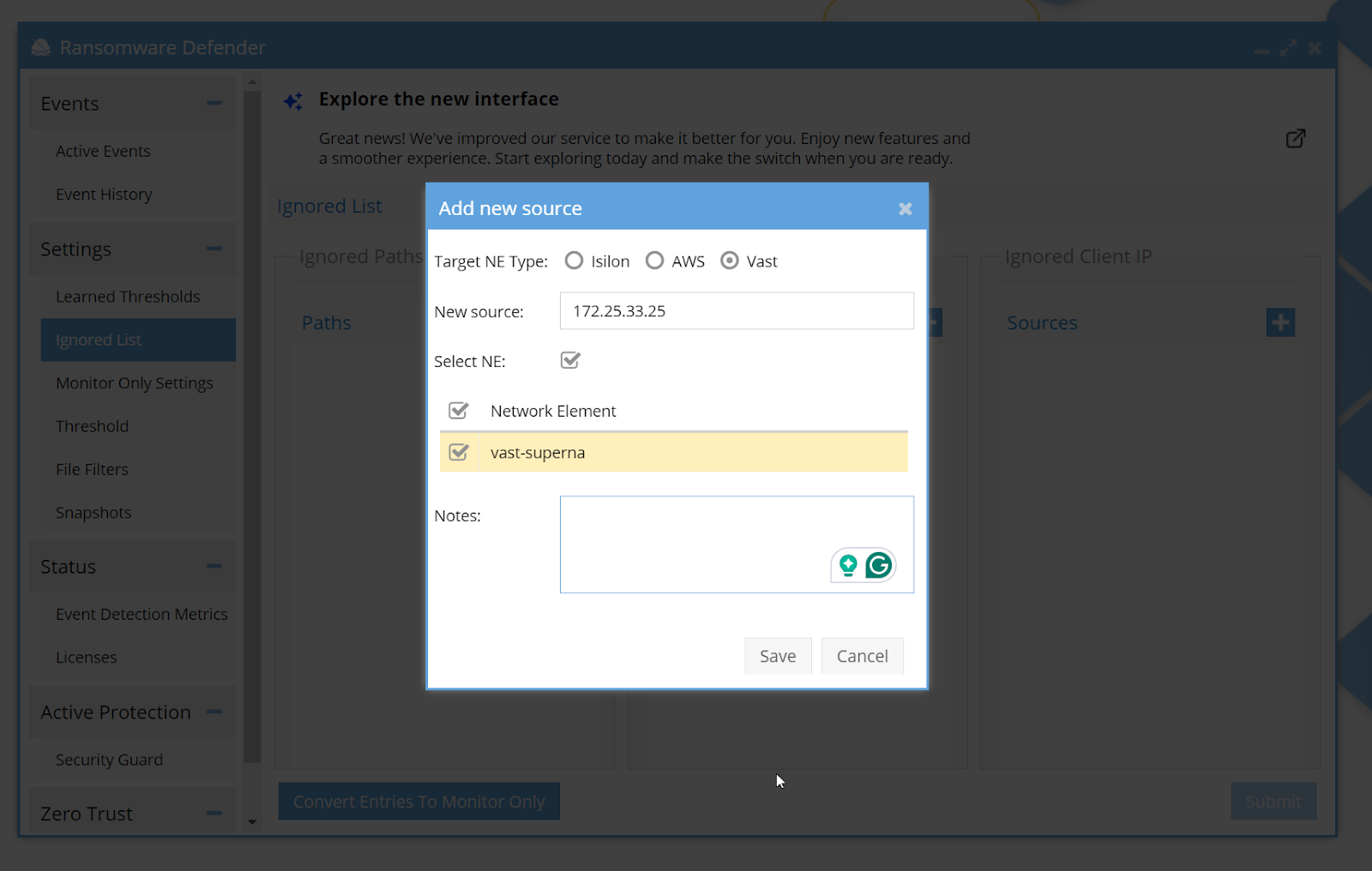
Add IP address and save changes. Make sure to do this action before starting the Recovery Manager.