File System
Configure File System Failover
Overview
This guide outlines the steps to configure File System Failover between two Pure FlashBlade systems: a production (PROD) cluster and a disaster recovery (DR) cluster.
It covers FlashBlade operations for preparing tenants, networking, and protection policies, along with Eyeglass tasks needed to enable and validate failover readiness.
Requirements
- Two FlashBlade systems
- Active Directory configured
- DNS configured
Configuration Steps
FlashBlade Operations
Create a File System Replica Link
On the PROD FlashBlade system:
- Go to Protection → File Replication.
- Click the + to create a new replica link.
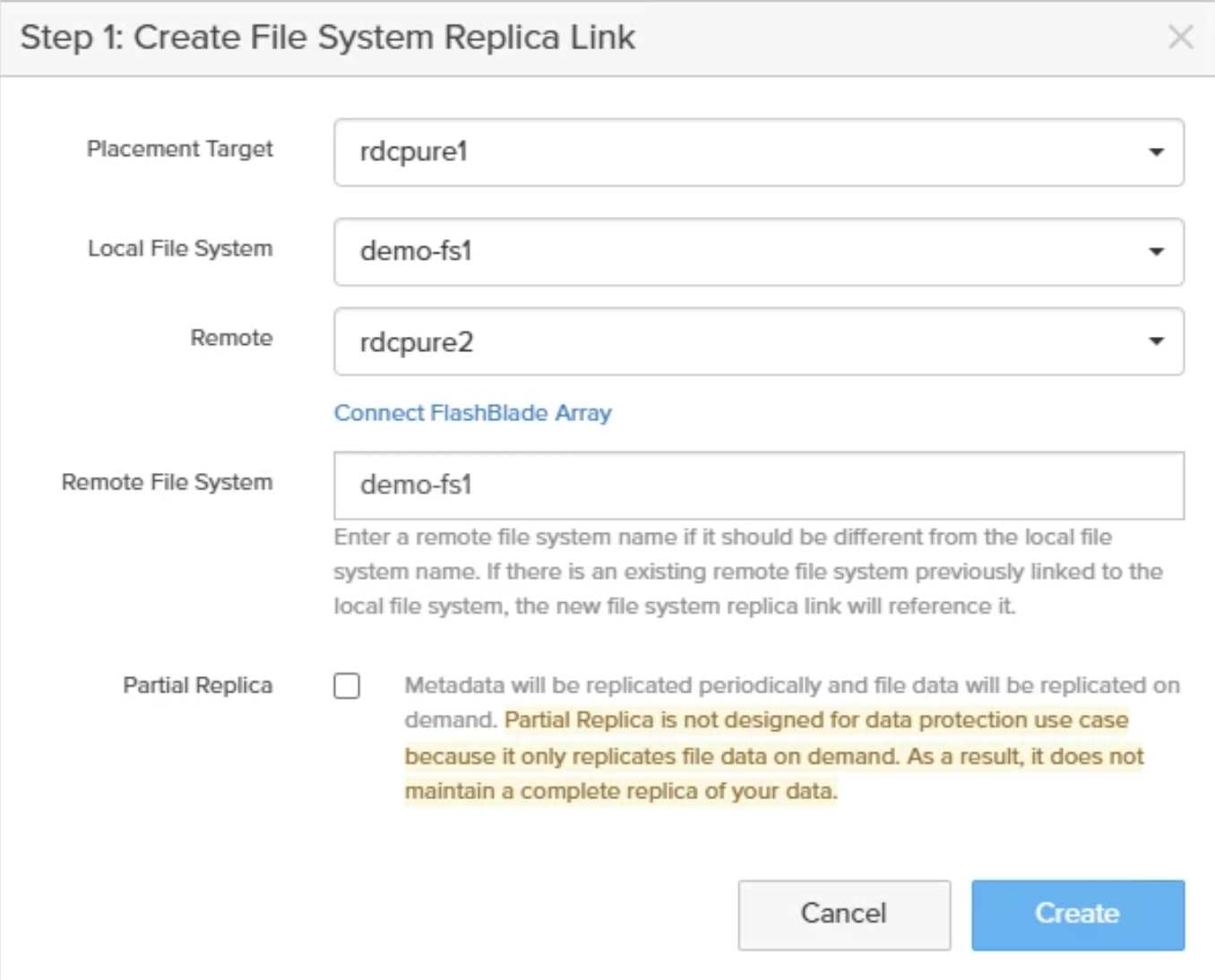
- Complete the information in the Create File System Replica Link window and click Create.
- Skip Step 2: Create Fanout Replica Links. Fanout links are not supported for failover.
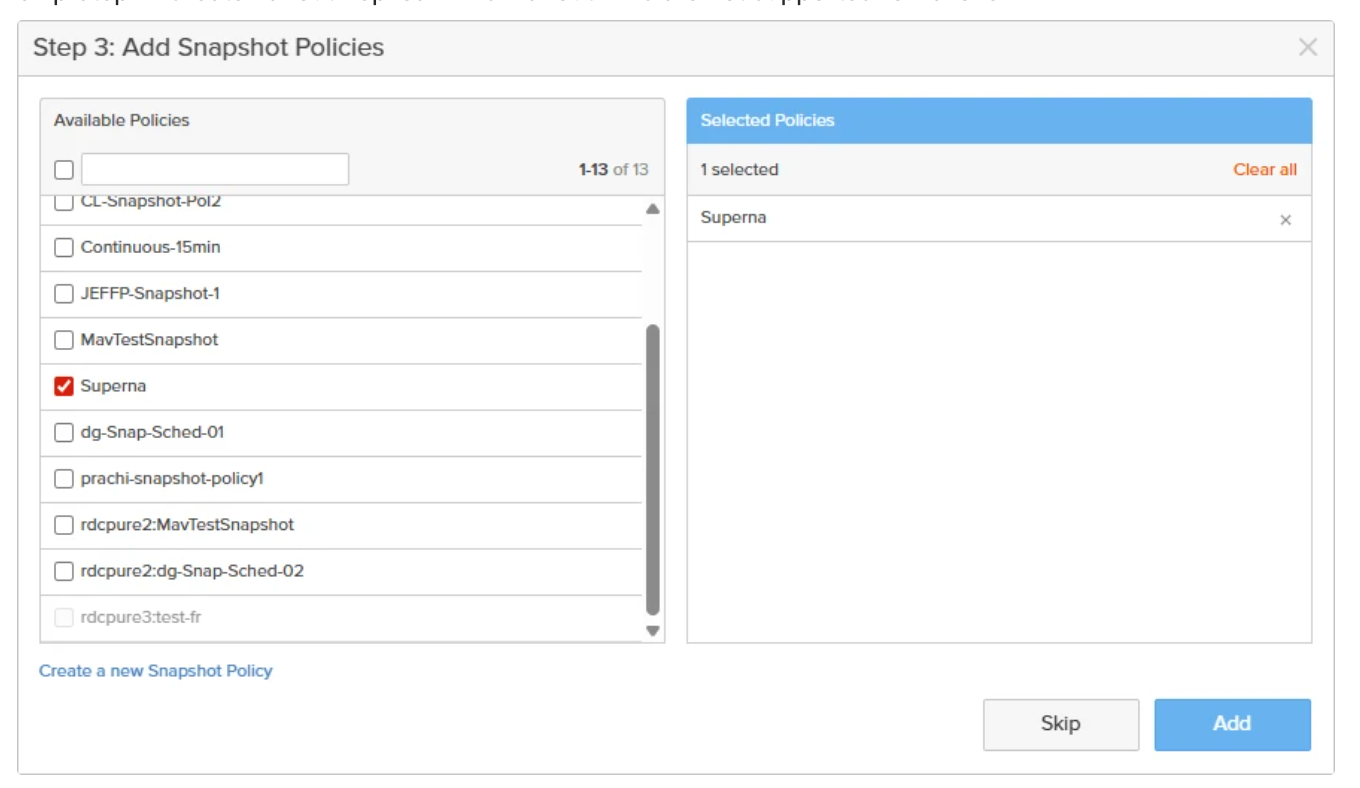
- Select an existing replication policy or Create a new Snapshot Policy, then click Add.
info
Repeat this for each file system to be protected by Superna for failover.